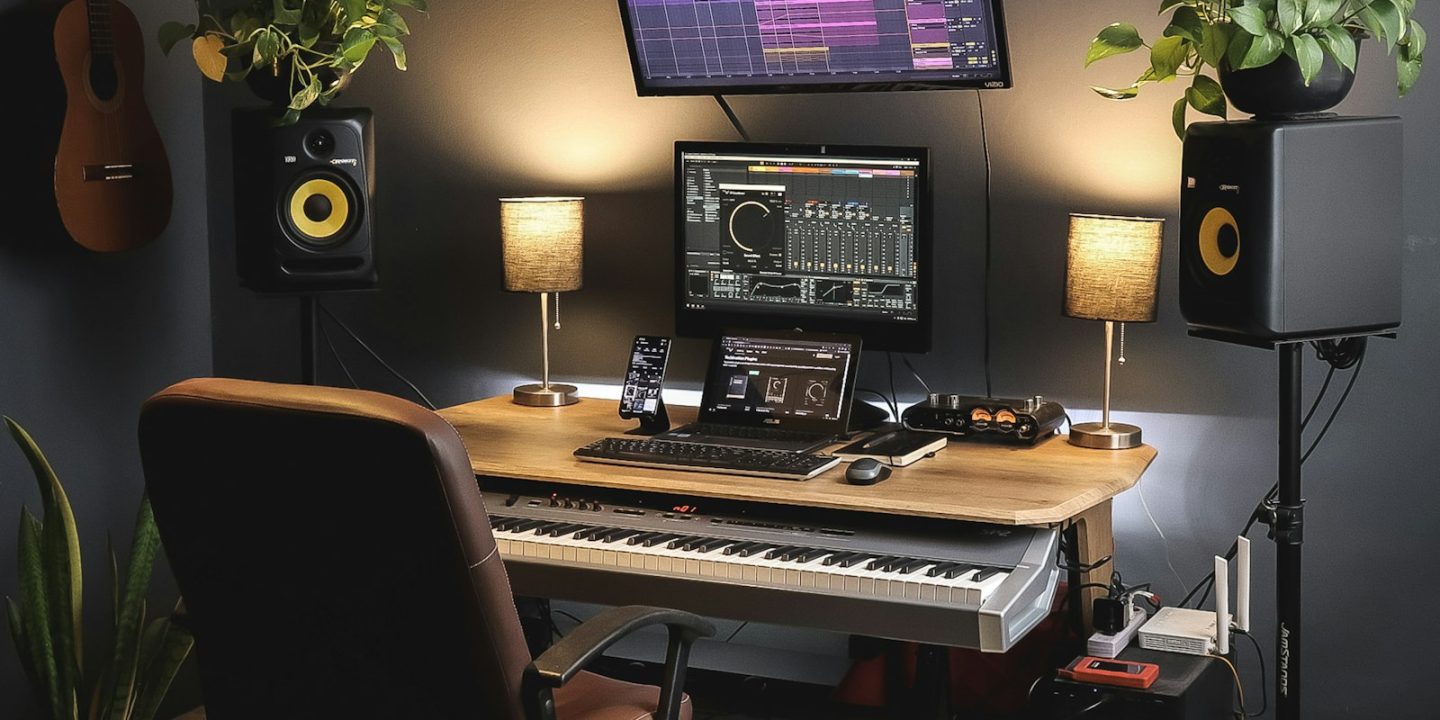
Setting up a home studio can feel overwhelming. There are endless brands, acronyms and forum arguments. In practice, almost every home studio is built around the same three pieces of hardware. An audio interface gets sound in and out of your computer. A MIDI keyboard plays virtual instruments. A pair of studio monitors lets you hear your mix accurately.
Below we’ve combined our favourite picks from our individual buying guides into three ready-made kits for different budgets, using approximate EU prices from October 2026. Each kit works as a complete system. You can also mix and match, for example by pairing the budget keyboard with the mid-range monitors.
The three kits at a glance
| Starter (~€550) | Producer (~€710) | Pro desk (€1,300+) | |
|---|---|---|---|
| Audio interface | Audient iD4 MkII (≈ €149) | Focusrite Scarlett 2i2 4th Gen (≈ €189) | Universal Audio Apollo Twin X (≈ €899) |
| MIDI keyboard | Akai MPK Mini IV (≈ €99) | Arturia KeyLab Essential mk3 49 (≈ €199) | NI Komplete Kontrol A49 (check price) |
| Monitors (pair) | IK iLoud Micro Monitor (≈ €300) | Yamaha HS5 (≈ €320) | Adam Audio T5V (≈ €400) |
| Approx. total | ≈ €548 | ≈ €708 | ≈ €1,299 + keyboard |
Prices are approximate, were checked in October 2026 and change often. Cables, headphones, a microphone and stands are extra.
Kit 1: The Starter (~€550) — small desk, big ambitions
This kit is built for a bedroom desk or the corner of a living room. The Audient iD4 MkII has an excellent mic preamp and a JFET instrument input for guitar and bass, plus two headphone outputs so you can record a friend. The Akai MPK Mini IV gives you 25 keys and eight pads for drums and melodies, and it fits in a backpack. The IK Multimedia iLoud Micro Monitor pair is tiny but properly voiced, with DSP that compensates for desk placement.
Who it’s for: beginners, beatmakers and podcasters who need a compact setup. The trade-off is limited low bass from the small monitors, so check your low end on headphones.
| Model | Audient iD4 MkIIBest for beginners | Akai MPK Mini IVBest mini controller | IK Multimedia iLoud Micro MonitorBest for small desks |
|---|---|---|---|
| TechHive score | 8.7/10 | 8.7/10 | 8.3/10 |
| Approx. price | €149 | €99 | €300 |
| Connection | USB | USB-C, 5-pin MIDI out | — |
| I/O | 2 in / 2 out | — | — |
| Resolution | 24-bit / 96 kHz | — | — |
| Headphone outs | 2 | — | — |
| Keys | — | 25 mini | — |
| Pads | — | 8 | — |
| Shop Ad | Amazon | Amazon | Amazon |
Even cheaper? A Behringer UMC22 (≈ €36) and Edifier MR4 monitors can get you started for less, with compromises in latency and accuracy. See our interface and monitor guides for details.
Kit 2: The Producer (~€710) — our recommended setup
This is the kit we’d recommend to most people who are serious about making music. The Focusrite Scarlett 2i2 (4th Gen) is MusicRadar’s best overall interface. Its Auto-gain and Clip Safe features prevent ruined takes. The Arturia KeyLab Essential mk3 in its 49-key version gives you full-size keys for proper two-handed playing. The Yamaha HS5 monitors offer the flat, honest sound that helps your mixes translate to other speakers.
Who it’s for: songwriters and producers who want gear they won’t outgrow for years. You’ll want a reasonably sized desk for the 49-key controller and 5-inch monitors.
Focusrite Scarlett 2i2 (4th Gen)
The safe default for a home studio: sturdy, strong preamps, low latency and Auto-gain plus Clip Safe to stop ruined takes.
- Connection
- USB-C
- I/O
- 2 in / 2 out
- Resolution
- 24-bit / 192 kHz
- MIDI
- No
Pros
- Strong, clean preamps
- Auto-gain and Clip Safe help beginners
- Low latency
- Solid build
Cons
- Some functions need the Focusrite Control software
- No combi inputs
- No MIDI ports
Yamaha HS5
Flat, honest monitors whose mixes translate well — the long-standing reference at this price.
Pros
- Flat, honest response
- Mixes translate well
- Balanced XLR/TRS inputs
Cons
- Bass ends around 54 Hz
- Can sound unforgiving
Kit 3: The Pro Desk (€1,300+) — room to grow
This kit is for producers ready to invest. The Universal Audio Apollo Twin X runs UA’s plugins on its own DSP while you record, and its ADAT input lets you add eight more channels later. The Native Instruments Komplete Kontrol A49 has a high-quality semi-weighted keybed and pre-mapped DAW control. The Adam Audio T5V monitors add a detailed ribbon tweeter and reach deeper, to 45 Hz.
Who it’s for: experienced home producers and anyone recording vocals and instruments for release. Be aware that the Apollo’s first-time setup on Apple-silicon Macs takes a while, and a Thunderbolt cable isn’t included.
Universal Audio Apollo Twin X
The step-up desktop interface: onboard DSP runs UA plugins while you record, with ADAT expansion for more inputs later.
- Connection
- Thunderbolt 3 (USB Heritage Edition also available)
- DSP
- Yes – runs UAD plugins
- Expansion
- ADAT
Pros
- DSP plugins at tracking time
- ADAT lets you add inputs later
- Pro-level studio centrepiece
Cons
- No Thunderbolt cable in the box
- Lengthy first-time setup on Apple silicon
- Expensive
Swaps for different musicians
Vocalists and podcasters
Swap the interface for the SSL 2+ MKII. Its “4K” button adds presence to voices, and it has two headphone outputs for interviews. The Universal Audio Volt 276 is another option, with a built-in compressor that keeps vocal peaks in check.
Pianists
Replace the MIDI keyboard with a weighted digital piano like the Roland FP-30X. It works as an 88-key controller over USB and as a standalone instrument. See our best digital pianos guide.
Hardware synth fans
The Arturia KeyStep Pro sequences multiple synths at once over MIDI and CV/gate. Pair it with an interface that has MIDI ports, such as the SSL 2+ MKII.
Untreated rooms
If your room is echoey or the speakers must sit near a wall, the KRK Rokit 5 G5 has DSP room EQ and isolation pads. It’s warmer and less neutral than the HS5, but easier to tame in a difficult space.
What else you’ll need
- Software (DAW): many interfaces and controllers include “lite” versions of popular music software, which is enough to start.
- Cables: two balanced cables (XLR or TRS, depending on your monitors) to connect the monitors to the interface, plus a USB cable if the right one isn’t in the box.
- Headphones: closed-back headphones for recording, so the click track doesn’t bleed into the mic, and to check bass on small monitors.
- Microphone and stand: if you record vocals or acoustic instruments.
- Monitor pads or stands: to get the tweeters to ear height and stop the desk from resonating.
Tip: put most of your budget into the interface and monitors. Those are what you hear every day, while a keyboard is easy to upgrade later. EU buyers get a two-year legal guarantee from the seller, so keep your receipts.
Setting it up in five steps
- Install the interface’s driver or control software before plugging it in, especially on Windows.
- Connect the monitors to the interface’s main outputs with balanced cables, then switch them on last and switch them off first to avoid pops.
- Place the monitors in an equilateral triangle with your head, with the tweeters at ear height and away from walls.
- Connect the MIDI keyboard over USB and select it as an input in your DAW.
- Set a buffer size of around 128 samples while recording for low latency, and raise it when mixing big projects.
How we built these kits
Each component comes from our individual buying guides, which are based on expert reviews from outlets including MusicRadar and MusicianWave and on current EU retail prices. We don’t hands-on test gear ourselves. We pick combinations that work well together and fit realistic budgets. Read how we research.
FAQ
Can I build a home studio for under €300?
Yes, if you use headphones instead of monitors. An Audient iD4 MkII (≈ €149) plus an Akai MPK Mini IV (≈ €99) and a decent pair of headphones gets you recording. Add monitors later.
Do I need studio monitors, or are headphones enough?
You can produce entirely on headphones. Monitors make mixing more accurate and less tiring over long sessions, so add them when your budget allows.
Mac or Windows for a home studio?
Both work well. On Windows, make sure your interface has a dedicated low-latency driver. On Mac, most interfaces are class-compliant.
Which kit would you buy?
For most people, the Producer kit. It has a reliable interface, full-size keys and honest monitors, and it won’t need upgrading for a long time.