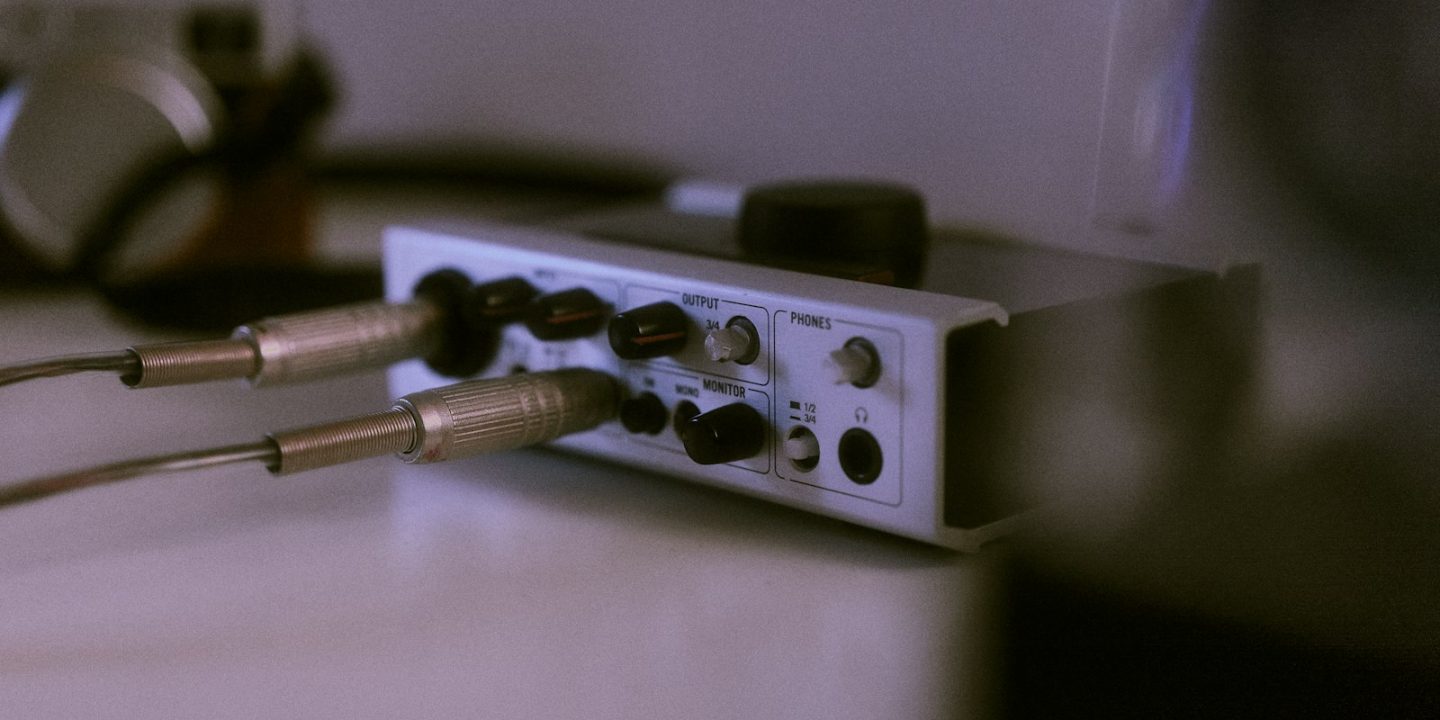
An audio interface is the heart of any home studio. It turns your microphone, guitar or synth into clean digital audio, and sends the mix back to your headphones and monitors with as little delay as possible. Get it right and you’ll keep it for years. Get it wrong and you’ll be fighting noise, clipping and latency every time you hit record.
The good news for 2026 is that the entry level has never been better. Two-channel interfaces costing €150–€250 now have preamps and converters that would have been studio-grade a decade ago. Unlike graphics cards and laptops, interfaces have mostly escaped this year’s memory-chip price rises, so EU prices are stable. Below are our picks, from a €36 starter box to a DSP-powered desktop unit for serious producers.
Our picks at a glance
- Best overallFocusrite Scarlett 2i2 (4th Gen)
- Best for beginnersAudient iD4 MkII
- Best for vocalsSSL 2+ MKII
- Built-in compressorUniversal Audio Volt 276
- Premium pickUniversal Audio Apollo Twin X
- Cheapest optionBehringer U-Phoria UMC22
Prices are approximate and change often. Ad
1. Focusrite Scarlett 2i2 (4th Gen) — best overall
There’s a reason the Scarlett 2i2 turns up in so many bedroom studios: it simply does the job with no drama. MusicRadar names the fourth generation its best audio interface overall, praising the sturdy build, strong preamps and low latency. Its most useful features are Auto-gain and Clip Safe. Auto-gain listens to you sing or play and sets the input level for you. Clip Safe ducks the gain if a sudden peak would otherwise distort. For beginners, those two features mean far fewer ruined takes.
The trade-offs are small. There are no MIDI ports, so a hardware synth with only 5-pin MIDI needs a separate adapter, and some settings live in the Focusrite Control software rather than on the front panel. At around €189 it’s still the interface we’d recommend first to almost anyone recording vocals, guitar or a podcast.
Focusrite Scarlett 2i2 (4th Gen)
The safe default for a home studio: sturdy, strong preamps, low latency and Auto-gain plus Clip Safe to stop ruined takes.
- Connection
- USB-C
- I/O
- 2 in / 2 out
- Resolution
- 24-bit / 192 kHz
- MIDI
- No
Pros
- Strong, clean preamps
- Auto-gain and Clip Safe help beginners
- Low latency
- Solid build
Cons
- Some functions need the Focusrite Control software
- No combi inputs
- No MIDI ports
2. Audient iD4 MkII — best for beginners
If your budget stops at €150, the Audient iD4 MkII is the one to buy. MusicRadar names it the best interface for beginners and singles out its excellent preamp. The instrument input uses a JFET circuit that gives electric guitar and bass a pleasingly rich, amp-like tone before you even reach for a plugin.
Two headphone outputs make it surprisingly handy for recording a friend or giving lessons. The catches: there’s no MIDI, it records at up to 96 kHz rather than 192 kHz (which makes no practical difference to most music), and it needs a USB 3.0 port for power. Check your laptop’s ports before ordering.
Audient iD4 MkII
An excellent preamp and a great JFET instrument input at a beginner-friendly price.
- Connection
- USB
- I/O
- 2 in / 2 out
- Resolution
- 24-bit / 96 kHz
- Headphone outs
- 2
Pros
- Excellent mic preamp
- JFET instrument input suits guitar and bass
- Two headphone outputs
Cons
- No MIDI
- Needs a USB 3.0 port
3. SSL 2+ MKII — best for vocals
Solid State Logic is one of the most famous names in studio consoles, and the SSL 2+ MKII brings some of that pedigree to the desktop. MusicRadar singles it out as the best choice for vocals. The preamps are strong and quiet, and the “4K” button on each channel adds a subtle, analogue-style lift to the upper mids that makes voices sit forward in a mix.
It also has the most complete feature set at this size: 2 inputs and 4 outputs, two headphone outputs, and built-in MIDI in and out. The housing is plastic, which feels less premium than the Scarlett. UK pricing sits around £230; EU pricing varies by shop, so compare current offers before buying.
SSL 2+ MKII
Strong preamps with SSL's '4K' colour button, two headphone outputs and MIDI — a favourite for vocal recording.
- Connection
- USB-C
- I/O
- 2 in / 4 out
- Resolution
- 32-bit / 192 kHz
- MIDI
- Yes (in/out)
Pros
- Strong preamps
- '4K' button adds analogue-style character
- Two headphone outputs
- MIDI built in
Cons
- Plastic build
4. Universal Audio Volt 276 — best with a built-in compressor
The Volt 276 is aimed at people who want character on the way in. Alongside a standard 2-channel interface, it has a built-in compressor that keeps vocal and acoustic-guitar peaks under control, plus a “vintage” mode that emulates the character of a classic mic preamp. That’s handy if you’d rather commit to a sound while recording than spend time on plugins afterwards.
At around €253 it costs noticeably more than the Scarlett 2i2, so it makes most sense if you’ll actually use the compressor. If you only need clean inputs, one of the cheaper picks above will serve you just as well.
Universal Audio Volt 276
A compact 2-channel UA interface with an onboard compressor and a vintage-mic preamp emulation for instant character.
- Channels
- 2
- Extras
- Built-in compressor
- Preamp mode
- Vintage-mic emulation
Pros
- Hardware compressor helps tame vocal peaks
- Vintage preamp mode adds warmth
Cons
- Costs more than the Scarlett 2i2 for similar I/O
5. Universal Audio Apollo Twin X — premium pick
The Apollo Twin X is a natural upgrade once you outgrow a basic box. Its party trick is onboard DSP: UA’s plugin emulations of classic preamps, compressors and EQs run on the interface itself, so you can record through them in real time without loading your computer’s CPU. ADAT connectivity means you can add eight more inputs later with an external preamp, so it grows with your studio.
It’s not plug-and-play. MusicRadar notes that no Thunderbolt cable comes in the box and the first-time setup on Apple-silicon Macs takes a while. Price is the other hurdle: the USB Heritage Edition costs about €899 in the EU, and the Thunderbolt model is around £775 in the UK. For a first interface it’s overkill. For a producer who has outgrown a 2-channel box, it’s a big step up.
Universal Audio Apollo Twin X
The step-up desktop interface: onboard DSP runs UA plugins while you record, with ADAT expansion for more inputs later.
- Connection
- Thunderbolt 3 (USB Heritage Edition also available)
- DSP
- Yes – runs UAD plugins
- Expansion
- ADAT
Pros
- DSP plugins at tracking time
- ADAT lets you add inputs later
- Pro-level studio centrepiece
Cons
- No Thunderbolt cable in the box
- Lengthy first-time setup on Apple silicon
- Expensive
6. Behringer U-Phoria UMC22 — cheapest option
At around €36, the UMC22 is the cheapest way to plug a microphone and a guitar into a computer. If you just want to find out whether recording is for you, it will get you started today. Just know its limits. MusicRadar measured latency of around 10.4 ms, which you can feel when monitoring yourself through software. There’s no dedicated driver for Windows, and the box feels cheap.
Our honest advice: if you can stretch to the Audient iD4 MkII, do. You’ll get much better sound, lower noise and an interface you won’t need to replace in six months.
Behringer U-Phoria UMC22
The cheapest way to get a mic and instrument into a computer — fine for first experiments, not for serious work.
- Connection
- USB
- Measured latency
- ~10.4 ms (MusicRadar)
- Price
- ≈ €36
Pros
- Extremely cheap
- Gets you recording today
Cons
- High latency in MusicRadar's test
- No dedicated Windows driver
- Feels cheap
Compare the specs
| Model | Focusrite Scarlett 2i2 (4th Gen)Best overall | Audient iD4 MkIIBest for beginners | SSL 2+ MKIIBest for vocals | Universal Audio Apollo Twin XPremium pick |
|---|---|---|---|---|
| TechHive score | 9.0/10 | 8.7/10 | 8.6/10 | 8.8/10 |
| Approx. price | €189 | €149 | Varies | €899 |
| Connection | USB-C | USB | USB-C | Thunderbolt 3 (USB Heritage Edition also available) |
| I/O | 2 in / 2 out | 2 in / 2 out | 2 in / 4 out | — |
| Resolution | 24-bit / 192 kHz | 24-bit / 96 kHz | 32-bit / 192 kHz | — |
| MIDI | No | — | Yes (in/out) | — |
| Headphone outs | — | 2 | — | — |
| DSP | — | — | — | Yes – runs UAD plugins |
| Expansion | — | — | — | ADAT |
| Shop Ad | Amazon | Amazon | Amazon | Amazon |
How to choose an audio interface
Count your inputs — now and in a year
Most solo creators need two inputs: one microphone and one instrument, or a stereo keyboard. If you want to record a drum kit or a full band at once, you’ll need eight or more inputs, or an interface with ADAT expansion like the Apollo Twin X. Buying a bigger interface than you need is a common mistake. Buying one that can’t expand when you grow is the other.
Preamps and gain
Dynamic microphones popular for vocals and podcasts need a lot of clean gain. All of our main picks handle typical studio use well, but very cheap interfaces get noisy when you turn them up. Features like the Scarlett’s Auto-gain and Clip Safe are especially valuable if you record yourself without an engineer.
Latency and drivers
Latency is the delay between playing a note and hearing it back. Low-latency drivers matter far more than the headline sample rate. Mac users get class-compliant Core Audio. Windows users should check that the brand offers a dedicated ASIO driver, which is a known weak point of the UMC22.
MIDI
Most modern MIDI keyboards connect over USB, so built-in MIDI ports are only essential if you use older hardware synths or drum machines. The SSL 2+ MKII is the only pick here with MIDI in and out.
Ports, power and buying in Europe
Check whether the interface needs USB-C, USB 3.0 or Thunderbolt, and whether your computer can power it. In the EU you’re entitled to a two-year legal guarantee from the seller, and many specialist music retailers add extended warranties or generous return windows, so check the shop’s terms. UK and EU prices differ noticeably on some brands, so compare the shop in your own country.
Once your interface is sorted, add a pair of studio monitors and a MIDI keyboard, or see our complete home studio starter kit guide.
How we choose
We don’t run our own test lab. Instead we combine the findings of established reviewers, including MusicRadar’s hands-on tests and latency measurements, with current EU prices from European music retailers. Every pick lists its weaknesses as well as its strengths, and the TechHive score reflects both performance and value. Read more about how we research.
FAQ
Do I need an audio interface for a USB microphone?
No. A USB microphone has its own built-in interface. You need an audio interface for XLR microphones, electric guitars or bass, and for connecting proper studio monitors.
Is 24-bit/96 kHz enough?
Yes. For music and podcasts, 24-bit/48 kHz or 96 kHz is plenty. Higher sample rates mostly increase file size and CPU load. Preamp quality and drivers matter far more.
Which interface is best for a beginner on a tight budget?
The Audient iD4 MkII at around €149. If you can spend about €40 more, the Focusrite Scarlett 2i2 (4th Gen) adds Auto-gain and Clip Safe, which beginners will appreciate.
Is the Apollo Twin X worth it?
It is if you’ll use the DSP plugins and plan to expand with ADAT. For simple vocal and guitar recording, a €150–€250 interface gives you most of the sound quality for a fraction of the price.