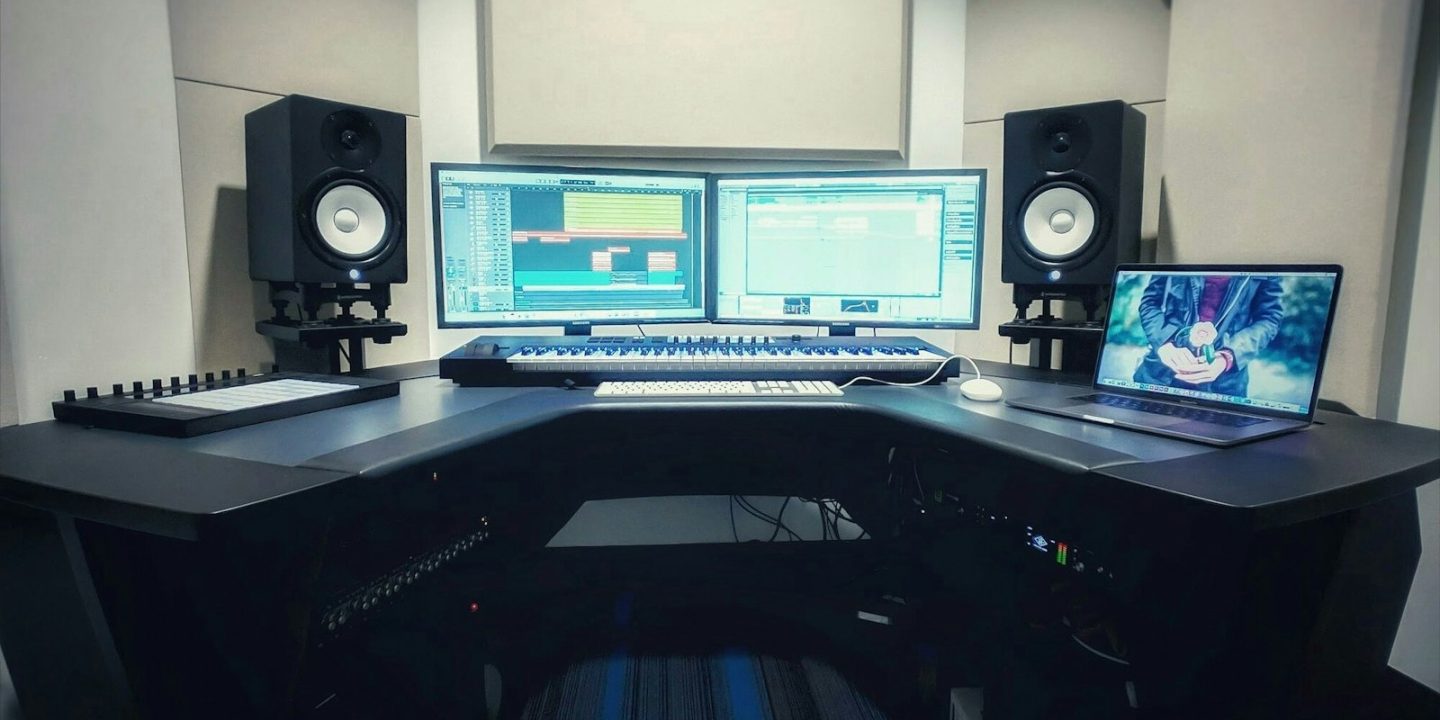
Studio monitors are built to show you the truth. Hi-fi speakers flatter music with boosted bass and sparkling treble. Monitors aim for a flat, honest sound, so a mix that sounds balanced on them also sounds balanced on earbuds, in a car and on a club system. That’s called translation, and it’s the single most important thing a monitor does.
You don’t need to spend a fortune to get there. For a typical bedroom or home office, a pair of 5-inch monitors costing €300–€400 is the sweet spot. Smaller rooms and desks can work well with compact 3–4-inch models. Note that EU retailers price some brands per pair and others per speaker, so always check which you’re looking at. All prices below are per pair unless stated.
Our picks at a glance
- Best overallYamaha HS5
- Best detailAdam Audio T5V
- Best room tuningKRK Rokit 5 G5
- Best for small desksIK Multimedia iLoud Micro Monitor
- Wide sweet spotJBL 305P MkII
- Budget desktop pickEdifier MR4
- Smallest budgetPreSonus Eris E3.5
Prices are approximate and change often. Ad
1. Yamaha HS5 — best overall
The HS5’s philosophy is simple: flat, honest and slightly unforgiving. That’s exactly what you want for mixing. If a vocal is harsh or a kick drum is boomy, the HS5 tells you. Mixes made on them translate well to other systems. A 70 W bi-amplified design drives a 5-inch woofer and 1-inch tweeter, and balanced XLR and TRS inputs connect cleanly to any audio interface.
The bass extends to around 54 Hz, so you’ll hear less of the deepest sub-bass than on some rivals. Some listeners also find the honest presentation a little dry for casual listening. At around €320 a pair, though, it’s still the benchmark.
Yamaha HS5
Flat, honest monitors whose mixes translate well — the long-standing reference at this price.
Pros
- Flat, honest response
- Mixes translate well
- Balanced XLR/TRS inputs
Cons
- Bass ends around 54 Hz
- Can sound unforgiving
2. Adam Audio T5V — best for detail
Adam’s T5V uses a 1.9-inch U-ART ribbon tweeter that delivers a detailed, airy top end and a consistent sweet spot. It also reaches a little deeper than the Yamaha, down to 45 Hz, so basslines and kick drums are easier to judge.
The treble is slightly flattering. Some engineers love that, while others prefer the Yamaha’s plainer sound. Expect to pay around €400 a pair, and watch out for shops listing the price per single speaker.
Adam Audio T5V
A ribbon tweeter gives a detailed top end and a consistent sweet spot.
Pros
- Detailed treble
- Consistent sweet spot
- Deeper reach than HS5
Cons
- Highs slightly flattering
- Often priced per unit — check
3. KRK Rokit 5 G5 — best for room tuning
Most home studios aren’t acoustically treated, and that’s where KRK’s Rokit range shines. Built-in DSP lets you EQ the monitors to suit your room, and you can adjust them from an app. Isolation pads are included to decouple them from your desk. The G5 adds a Kevlar woofer and 82 W of power.
Rokits are known for warm, satisfying bass that’s fun to produce on, but they’re less neutral than the Yamaha or Adam for final mix decisions. The previous G4 pair sold for around €350. Check current G5 pricing before buying.
KRK Rokit 5 G5
Built-in DSP EQ, app control and isolation pads make the Rokit easy to adapt to an untreated room.
Pros
- DSP EQ for room correction
- Warm, satisfying bass
- Isolation pads included
Cons
- Less neutral for final mixing
4. IK Multimedia iLoud Micro Monitor — best for small desks
If your studio is a corner of a desk, full-size monitors may simply not fit. IK’s iLoud Micro Monitor packs a 3-inch woofer and 50 W RMS into a very small box, with DSP settings that compensate for desk or stand placement. Bluetooth lets you use them as everyday speakers too.
Physics still applies. Small drivers can’t move as much air, so low bass is limited. For near-field work in tight spaces, though, they’re far better than putting a pair of 5-inch monitors in the wrong place. Around €300 a pair.
IK Multimedia iLoud Micro Monitor
Tiny desktop monitors with DSP position compensation and Bluetooth — ideal for cramped spaces.
Pros
- Very compact
- Position-compensation DSP
- Bluetooth for casual listening
Cons
- Small drivers limit low end
5. JBL 305P MkII — best wide sweet spot
JBL’s 305P MkII uses a waveguide around the tweeter to widen the sweet spot. You don’t have to keep your head locked in one position to hear an accurate stereo image, which is handy if you move between keyboard and computer while producing. A 5-inch woofer, 82 W of power and boundary EQ help when the speakers have to sit close to a wall.
EU pricing changes often for this model, so compare current offers.
JBL 305P MkII
A waveguide spreads a wide sweet spot, useful if you move around while producing.
Pros
- Wide sweet spot
- Boundary EQ for wall placement
Cons
- Check current EU price and stock
6. Edifier MR4 — budget desktop pick
The Edifier MR4 is an affordable bridge between computer speakers and real monitors. Its 4-inch woofer and 42 W amplifier are adequate for a desk. It offers a “monitor” voicing for production and a “music” voicing for everyday listening.
It isn’t as accurate as the Yamaha or Adam, but for a first setup on a tight budget it’s a much better tool than standard PC speakers.
Edifier MR4
Cheap 4" desktop speakers with a monitor mode for production and a music mode for listening.
Pros
- Cheap
- Two voicing modes
Cons
- Not a true reference monitor
7. PreSonus Eris E3.5 — smallest budget option
The Eris E3.5 is about as small and affordable as proper monitors get. Acoustic tuning controls let you compensate for desk placement. The bass is weak below about 80 Hz, though, so you’ll need headphones or a subwoofer to check low end. It’s a decent starter for podcasters and beginners rather than a long-term mixing tool.
PreSonus Eris E3.5
Small budget monitors with acoustic tuning controls for a first desk setup.
Pros
- Acoustic tuning controls
- Compact
Cons
- Weak bass below about 80 Hz
Compare the 5-inch monitors
| Model | Yamaha HS5Best overall | Adam Audio T5VBest detail | KRK Rokit 5 G5Best room tuning | JBL 305P MkIIWide sweet spot |
|---|---|---|---|---|
| TechHive score | 8.8/10 | 8.7/10 | 8.2/10 | 8.3/10 |
| Approx. price | €320 | €400 | €350 | Varies |
| Shop Ad | Amazon | Amazon | Amazon | Amazon |
How to choose studio monitors
Match the size to your room
Bigger isn’t always better. In a small, untreated room, 8-inch monitors can make bass problems worse. For most bedrooms, 5-inch monitors are ideal. For desks under about 1.2 m wide, consider 3–4-inch models like the iLoud Micro Monitor.
Placement matters more than price
Set the monitors up so they form an equilateral triangle with your head. Put the tweeters at ear height and keep the speakers away from walls and corners where possible. Isolation pads or stands stop your desk from resonating. Built-in room EQ, like the KRK’s DSP or the JBL’s boundary EQ, helps but doesn’t replace good placement.
Active vs passive
All of our picks are active monitors with built-in amplifiers. You just connect them to your audio interface with balanced cables (XLR or TRS) and plug them into the mains.
Per pair or per speaker?
European retailers are inconsistent here. The same model can be listed per speaker at one shop and per pair at another. Always check before comparing prices.
Warranty and returns in Europe
EU consumers get a minimum two-year legal guarantee from the seller. Because monitors sound different in every room, buying from a shop with a generous return window is worthwhile. You’ll only know if they suit your space once you’ve listened at home.
Building a full setup? See our home studio starter kit and best MIDI keyboards.
Which monitors should you buy?
- You want the most honest mixes for your money: the Yamaha HS5 at around €320 a pair.
- You want more detail and deeper bass: the Adam Audio T5V, for around €80 more.
- Your room is untreated and awkward: the KRK Rokit 5 G5, with DSP room EQ and an app.
- You only have a small desk: the IK Multimedia iLoud Micro Monitor.
- You move around a lot while working: the JBL 305P MkII, with its wide sweet spot.
- You’re on the tightest budget: the Edifier MR4 or PreSonus Eris E3.5, ideally checked against headphones.
Getting the most from budget monitors
Even the best monitors can sound poor in a bad position, and a few simple steps make a bigger difference than spending an extra €100. Pull the speakers at least a short distance away from the wall behind them, because placing them right against a wall artificially boosts bass. Keep them symmetrical in the room so the left and right speakers see similar reflections. Put something soft, such as a rug, bookshelf or curtains, on hard reflective surfaces near your listening position.
Listen at moderate volume. Monitors, and your ears, are most reliable at a comfortable level, and long sessions at high volume cause fatigue and poor mix decisions. Finally, check your mix on other systems, such as earbuds, a phone speaker or a car stereo. Monitors help mixes translate, but a quick reality check is always worthwhile.
How we choose
We base our picks on published reviews and comparisons from specialist sources, including European comparison tests of monitors under €500 and LANDR’s monitor guide. We combine them with current EU pricing. We don’t run our own listening lab, so we focus on where reviewers agree and spell out each speaker’s weaknesses. See how we research.
FAQ
Can I use hi-fi speakers instead of studio monitors?
You can, but hi-fi speakers usually colour the sound, so your mixes may not translate well to other systems. Monitors aim for a flatter response that shows problems clearly.
Do I need a subwoofer?
Not at first. 5-inch monitors like the Adam T5V reach down to the mid-40 Hz range. Check sub-bass on good headphones and add a subwoofer later if your genre needs it.
Are 3-inch monitors good enough?
For small desks, podcasting and beginners, yes. Models like the iLoud Micro Monitor are surprisingly capable, but deep bass is limited, so double-check low end on headphones.
Yamaha HS5 or Adam T5V?
Choose the HS5 for the most honest, translatable sound at a lower price. Choose the T5V for more treble detail, deeper bass and a consistent sweet spot.