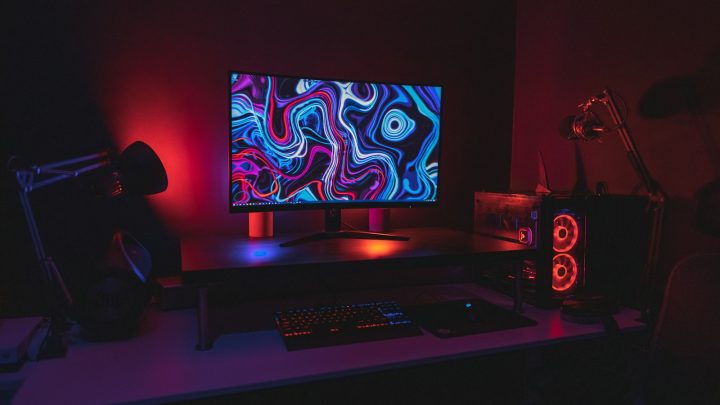
OLED has taken over gaming monitors. In 2026 you can buy a 27-inch, 240 Hz OLED for under €400 on a good day, while high-end models now reach 4K at 240 Hz or a blistering 500 Hz at 1440p. The challenge is choosing the right resolution and refresh rate for your graphics card — and your budget.
We’ve rounded up the gaming monitors that expert reviewers such as TechRadar, RTINGS and PC Games Hardware rate most highly, with euro prices where we could verify them. Several of the best models still carry US list prices only, so for those you’ll want to check your local retailer.
Our picks at a glance
- Best value OLEDAsus ROG Strix XG27AQDMGR
- Best 4K gamingAlienware 27 AW2725Q
- Best 32-inchMSI MPG 322UR QD-OLED X24
- Best 360 HzSamsung Odyssey OLED G6 (G60SD)
- Best ultrawideAsus ROG Swift OLED PG34WCDN
Prices are approximate and change often. Ad
1. Asus ROG Strix XG27AQDMGR — best value OLED
This is the monitor we’d recommend to most PC gamers. It’s a 27-inch, 2560×1440 OLED running at 240 Hz, with a glossy finish and an anti-reflective coating that keeps colours punchy. In August 2026 it dropped to €372.99 on Amazon.de (from €439), which makes it the cheapest OLED gaming monitor we found.
At 1440p, it’s also much easier to drive than a 4K display: a mid-range card such as the Radeon RX 9070 or GeForce RTX 5070 can push high frame rates in most games. It replaces the well-liked XG27AQDMG.
Asus ROG Strix XG27AQDMGR
The cheapest route into OLED gaming we found: 27-inch, 1440p and 240 Hz with a glossy anti-reflective finish.
Pros
- Very low price for an OLED
- 240 Hz is plenty for most GPUs
- Successor to the popular XG27AQDMG
Cons
- 1440p rather than 4K
- Deal prices fluctuate
2. Alienware 27 AW2725Q — best 4K gaming monitor
TechRadar names the AW2725Q its best gaming monitor. It’s a 27-inch 4K QD-OLED running at 240 Hz, which means a very sharp image at this size, strong HDR performance and support for both G-Sync and FreeSync. It’s ideal if you also use your PC for photo editing or reading lots of text.
The catch is that 4K at high frame rates needs a powerful GPU — think RTX 5070 Ti or above. It’s also not cheap: the US price is $689.99 and European pricing varies.
Alienware 27 AW2725Q
TechRadar's best gaming monitor: a sharp 27-inch 4K QD-OLED at 240 Hz with strong HDR.
Pros
- Strong HDR performance
- Very sharp 4K image at 27 inches
- Supports G-Sync and FreeSync
Cons
- Not cheap
3. MSI MPG 322UR QD-OLED X24 — best 32-inch
For a bigger 4K canvas, TechRadar’s best monitor overall is this 32-inch QD-OLED. It has a brighter panel than earlier generations, DisplayPort 2.1 for full-bandwidth 4K at 240 Hz, and a USB-C port with 98 W charging — so a single cable can power and connect your work laptop.
Reviewers note a purple tint in bright rooms that isn’t fully solved, and SDR brightness of around 300 nits is modest. It’s also one of the more expensive picks here.
MSI MPG 322UR QD-OLED X24
TechRadar's best monitor overall: a 32-inch 4K 240 Hz QD-OLED with DisplayPort 2.1 and a 98 W USB-C port.
Pros
- Brighter panel
- DisplayPort 2.1
- USB-C with 98 W charging
Cons
- Purple tint not fully solved
- Only ~300 nits in SDR
- Pricey
4. Samsung Odyssey OLED G6 (G60SD) — best 360 Hz
Competitive players who want more than 240 Hz should look at the G60SD: a 27-inch, 1440p OLED that runs at 360 Hz. PC Games Hardware reported it falling under €550 in a 2026 deal, which is good value for this refresh rate. To benefit from 360 Hz, you’ll need both a fast GPU and games that run at very high frame rates, such as esports shooters.
Samsung Odyssey OLED G6 (G60SD)
A 27-inch 1440p OLED that pushes to 360 Hz for competitive shooters.
Pros
- 360 Hz for competitive play
- Has dropped under €550 in deals
Cons
- Deal price is indicative and may not return
- You need a strong GPU to use 360 Hz
5. Samsung Odyssey OLED G6 (G60SF) — fastest
The newer G60SF goes all the way to 500 Hz on a QD-OLED panel and is TechRadar’s pick for speed. It’s a specialist product: unless your PC can actually hit hundreds of frames per second, you won’t see a difference over the 360 Hz model. It also lacks USB-C.
Samsung Odyssey OLED G6 (G60SF)
TechRadar's pick for speed: a 500 Hz QD-OLED panel for esports players with very fast PCs.
Pros
- 500 Hz refresh rate
- Brighter QD-OLED panel
Cons
- No USB-C
- 500 Hz only matters if your GPU can reach it
6. Asus ROG Swift OLED PG34WCDN — best ultrawide
Ultrawide fans should consider the PG34WCDN: a 34-inch 3440×1440 QD-OLED that refreshes at up to 360 Hz. Its big advance is an RGB-stripe subpixel layout, which reduces the coloured fringing around text that bothered owners of earlier QD-OLEDs. At around €1,099 (August 2026) it’s a premium buy, but racing and flight-sim players will love the immersion.
Asus ROG Swift OLED PG34WCDN
A 34-inch ultrawide QD-OLED with RGB-stripe subpixels that reduce the text fringing older QD-OLEDs suffer from.
Pros
- RGB-stripe layout reduces text fringing
- Up to 360 Hz
- Immersive ultrawide format
Cons
- Premium price
- Ultrawide needs a deep desk and a strong GPU
Compare the key specs
| Model | Asus ROG Strix XG27AQDMGRBest value OLED | Alienware 27 AW2725QBest 4K gaming | MSI MPG 322UR QD-OLED X24Best 32-inch | Samsung Odyssey OLED G6 (G60SD)Best 360 Hz | Asus ROG Swift OLED PG34WCDNBest ultrawide |
|---|---|---|---|---|---|
| TechHive score | 8.8/10 | 9.0/10 | 8.7/10 | 8.6/10 | 8.7/10 |
| Approx. price | €373 | Varies | Varies | €550 | €1,099 |
| Shop Ad | Amazon | Amazon | Amazon | Amazon | Amazon |
How to choose a gaming monitor
Match resolution to your graphics card
1440p at 240 Hz is the sweet spot for most gamers in 2026. 4K looks sharper but needs a much more powerful (and expensive) GPU. Read our graphics card guide to see which cards suit which resolution.
Don’t overpay for refresh rate
Going from 60 Hz to 144 Hz or 240 Hz is a big, obvious upgrade. Beyond that, gains are mostly felt by competitive players whose PCs can actually reach 360 or 500 frames per second.
OLED burn-in and care
Modern OLED monitors include pixel-refresh routines and screen savers to reduce burn-in risk. If you leave static spreadsheets or taskbars on screen for many hours a day, check the manufacturer’s warranty terms on burn-in before buying.
Need it for work, too?
If you spend most of the day in documents, a high-resolution IPS productivity screen may suit you better. The Dell UltraSharp U2725QE, a 27-inch 4K IPS monitor with a built-in USB-C hub, is a premium productivity option RTINGS has reviewed. Budget buyers can look at the 24-inch BenQ GW2486TC with USB-C.
EU energy labels and warranty
Monitors sold in the EU carry an energy label — OLEDs can use more power on bright, mostly-white content. All purchases from EU retailers include at least a two-year legal guarantee.
How we choose
We base our picks on the verdicts and measurements of trusted reviewers including TechRadar, RTINGS and PC Games Hardware, then check real European prices. We don’t hands-on test monitors ourselves, and we list every major weakness reviewers report. More on our method.
FAQ
What is the best value OLED gaming monitor?
The Asus ROG Strix XG27AQDMGR, which has sold for about €373 in deals, offers 27-inch 1440p OLED at 240 Hz for less than any rival we found.
Is 4K worth it for gaming?
Only if you have a high-end GPU or play slower-paced games. Most players get a better experience at 1440p with higher frame rates.
Do I need a 500 Hz monitor?
Almost certainly not. 500 Hz only helps if your PC can output 500 frames per second, which is realistic only in lightweight esports titles.
Are OLED monitors safe for office work?
They’re fine for mixed use, but static content for many hours a day increases burn-in risk. Use auto-hide taskbars and the built-in care features.