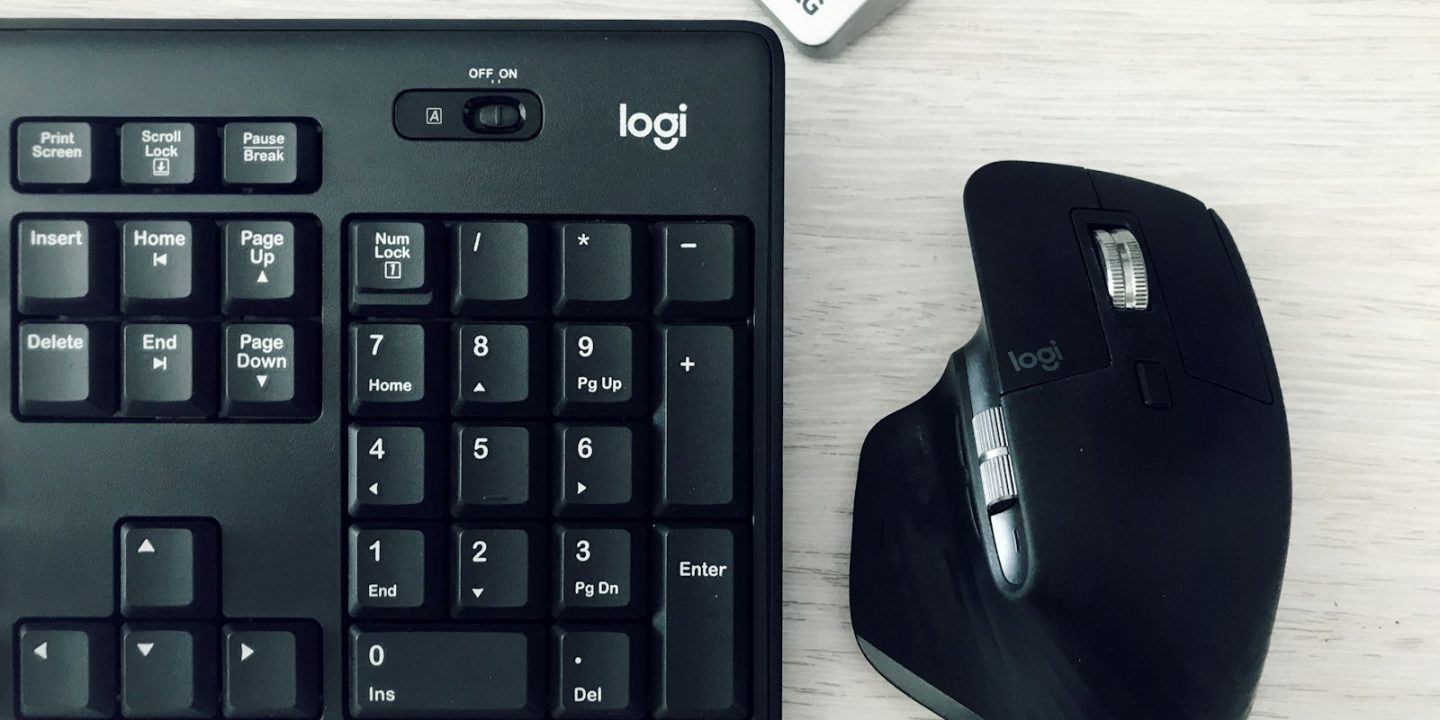
You touch your keyboard and mouse thousands of times a day, so they matter more for comfort and productivity than almost anything else on your desk. A good wireless set removes cable clutter, switches between your work laptop and personal PC at the press of a button, and — in the case of a well-shaped mouse — can reduce strain on your wrist over long days.
Below are the keyboards and mice that Tom’s Guide and Windows Central rate highest for work in 2026, with euro prices where we could find them in European sources. One important European tip: keyboards come in local layouts (German QWERTZ, French AZERTY, Nordic, UK, US and more), so check the layout before you order.
Our picks at a glance
- Best mouseLogitech MX Master 4
- Best keyboardLogitech MX Keys S
- Best mechanicalKeychron Q1 Pro
- Best value mouseKeychron M6 8K
- Best budget keyboardLogitech Pebble Keys 2 K380s
- Cheapest good mouseLogitech Signature M650
Prices are approximate and change often. Ad
1. Logitech MX Master 4 — best mouse for work
Tom’s Guide names the MX Master 4 the best mouse overall. Its sculpted shape supports your whole hand, the MagSpeed wheel switches to free-spin for long documents, and a thumb wheel scrolls sideways through spreadsheets and timelines. It pairs with up to three devices over Bluetooth or the included USB-C receiver, and the battery lasts up to 70 days.
It’s expensive at a €129.99 list price, though it dropped to €97.49 at Amazon.de in October 2026 — the first time below €100, according to ifun.de. Owners of the MX Master 3S will find the upgrade small, and the haptic feedback can be switched off if you don’t like it.
Logitech MX Master 4
Tom's Guide's best mouse overall: very comfortable, highly customisable and with a long-lasting battery.
- Connection
- Bluetooth + Logi Bolt USB-C receiver
- Devices
- Up to 3
- Sensor
- 8,000 DPI
- Battery
- Up to 70 days, USB-C charging
- Extras
- Haptic feedback, thumb wheel
Pros
- Excellent ergonomics
- Fast MagSpeed scroll wheel plus thumb wheel
- Long battery life
Cons
- Expensive
- Logi Options+ is resource-heavy on macOS
- Small upgrade over MX Master 3S
2. Logitech MX Keys S — best keyboard for work
Windows Central’s top wireless keyboard is the MX Keys S. Its slightly dished, low-profile keys are quiet and precise, the backlight switches on as your hands approach, and you can switch between three devices running Windows, macOS or Linux. Logi Options+ adds programmable keys and “Smart Actions” that automate repetitive tasks.
It’s heavy and mostly plastic, and there’s nowhere to store the receiver. Its list price is around €119, but Giga spotted it for €79 at Amazon.de in June 2026. Pair it with the MX Master 4 and you have the classic home-office combo.
Logitech MX Keys S
Windows Central's top wireless keyboard: comfortable low-profile typing, smart backlight and three-device switching.
- Connection
- Bluetooth + Logi Bolt receiver
- Devices
- Up to 3
- Backlight
- Yes, proximity + ambient sensor
- Battery
- Up to 10 days (backlight) / 5 months (off)
- Layouts
- Local EU layouts available
Pros
- Comfortable, quiet typing
- Works with Windows, Mac and Linux
- Customisable keys and Smart Actions
Cons
- Heavy, plastic build
- No storage slot for the receiver
- Wrist rest sold separately
3. Keychron Q1 Pro — best mechanical keyboard
If you prefer the feel of a mechanical keyboard, Windows Central’s pick is the Keychron Q1 Pro. It has an aluminium case, a gasket-mounted plate for a softer typing feel, hot-swappable switches and PBT keycaps, and it works wirelessly over Bluetooth with three devices. It’s fully programmable with QMK/VIA.
There’s no USB dongle, and with the backlight on you’ll be charging every few days. It’s also heavy — not one for your laptop bag.
Keychron Q1 Pro
Windows Central's best mechanical pick: an aluminium, gasket-mounted wireless keyboard that's highly customisable.
- Connection
- Bluetooth 5.1 + USB-C wired
- Devices
- Up to 3
- Battery
- 4,000 mAh
- Build
- Aluminium, gasket mount, hot-swappable
Pros
- Premium build
- Great typing feel
- Very customisable (QMK/VIA)
Cons
- No USB dongle
- Needs charging every few days with backlight on
- Heavy
4. Keychron M6 8K — best-value ergonomic mouse
Tom’s Guide calls the M6 8K the best office mouse and an affordable alternative to the MX Master. It has a thumb rest, two scroll wheels and detailed companion software at a noticeably lower price. Battery life is weaker than Logitech’s, and there’s no left-handed version.
Keychron M6 8K
Tom's Guide's best office mouse: an ergonomic MX Master alternative with two scroll wheels at a lower price.
- Sensor
- Up to 26,000 DPI
- Buttons
- 6
- Weight
- ~78 g
- Battery
- ~80 h
Pros
- Comfortable thumb rest
- Two scroll wheels
- Detailed software
Cons
- Battery life trails Logitech
- No left-handed version
5. Logitech Pebble Keys 2 K380s — best budget keyboard
For a laptop stand, a small desk or occasional use, the Pebble Keys 2 is Windows Central’s budget pick. It’s compact, switches between devices with one button and runs for months on two AAA batteries. The round keys aren’t for everyone and there’s no backlight.
Logitech Pebble Keys 2 K380s
A compact, inexpensive keyboard that switches between devices and runs for months on two AAA batteries.
- Connection
- Bluetooth + Logi Bolt
- Power
- 2× AAA
- Size
- Compact, no number pad
- Backlight
- No
Pros
- Very affordable
- Easy multi-device switching
- Long battery life
Cons
- Round keys aren't for everyone
- No backlight
6. Logitech Signature M650 — cheapest good mouse
If you just need a reliable, quiet wireless mouse, the Signature M650 is inexpensive and supports Logi Options+ customisation. Tom’s Guide notes it isn’t the most comfortable for very long sessions, so heavy users should spend more. It comes in two sizes — check which fits your hand.
Logitech Signature M650
A cheap, quiet wireless mouse that supports Logi Options+ customisation — fine for laptops and light office use.
- Connection
- Bluetooth + Logi Bolt
- Clicks
- Quiet
- Sizes
- M and L (M650 L)
Pros
- Inexpensive
- Quiet clicks
- Customisable buttons
Cons
- Less comfortable for very long sessions
- No horizontal scroll wheel
Compare the key specs
| Model | Logitech MX Master 4Best mouse | Keychron M6 8KBest value mouse | Logitech Signature M650Cheapest good mouse |
|---|---|---|---|
| TechHive score | 9.1/10 | 8.2/10 | 7.6/10 |
| Approx. price | €130 | Varies | Varies |
| Connection | Bluetooth + Logi Bolt USB-C receiver | — | Bluetooth + Logi Bolt |
| Devices | Up to 3 | — | — |
| Sensor | 8,000 DPI | Up to 26,000 DPI | — |
| Battery | Up to 70 days, USB-C charging | ~80 h | — |
| Extras | Haptic feedback, thumb wheel | — | — |
| Buttons | — | 6 | — |
| Weight | — | ~78 g | — |
| Clicks | — | — | Quiet |
| Sizes | — | — | M and L (M650 L) |
| Shop Ad | Amazon | Amazon | Amazon |
How to choose a keyboard and mouse for work
Comfort and ergonomics
A mouse should fit your hand size and grip. Larger, sculpted mice like the MX Master 4 suit palm grips; if you get wrist pain, consider a vertical mouse. For keyboards, low-profile keys reduce finger travel, while mechanical keyboards offer more tactile feedback.
Multi-device switching
If you use a work laptop and a personal PC on the same desk, multi-device keyboards and mice switch between them in a second. All our main picks support at least three devices.
Receiver or Bluetooth?
A USB receiver (such as Logi Bolt) gives the most stable connection and is often required by company IT. Bluetooth saves a USB port and works with tablets and phones.
Layout matters in Europe
Choose the layout you type on — German, French, Nordic, UK and US layouts differ in key positions and shapes. Amazon’s European stores usually stock local layouts, but check the product title and photos before ordering.
Complete the desk
A good chair and monitor make a bigger difference than any accessory — see our ergonomic office chairs, monitors for work and docking stations guides.
How we choose
We haven’t tested these ourselves. Our picks reflect the conclusions of Tom’s Guide and Windows Central, plus European price checks from ifun.de and Giga, and we list each product’s weaknesses. Read more about how we research.
FAQ
Is the MX Master 4 worth it over the MX Master 3S?
If you already own a 3S, the upgrade is small. If you’re buying new, the MX Master 4 is the better choice, especially on sale.
Are mechanical keyboards good for office work?
Yes, many people find them more comfortable and accurate. Choose quieter linear or tactile switches if you share an office or take calls.
Do these work with a Mac?
Yes. Logitech’s MX range and the Keychron Q1 Pro work with macOS, Windows and Linux; some keyboards come in Mac-specific versions with Mac key labels.
Can I use one keyboard for two computers?
Yes — multi-device keyboards like the MX Keys S switch between up to three paired devices with dedicated keys.