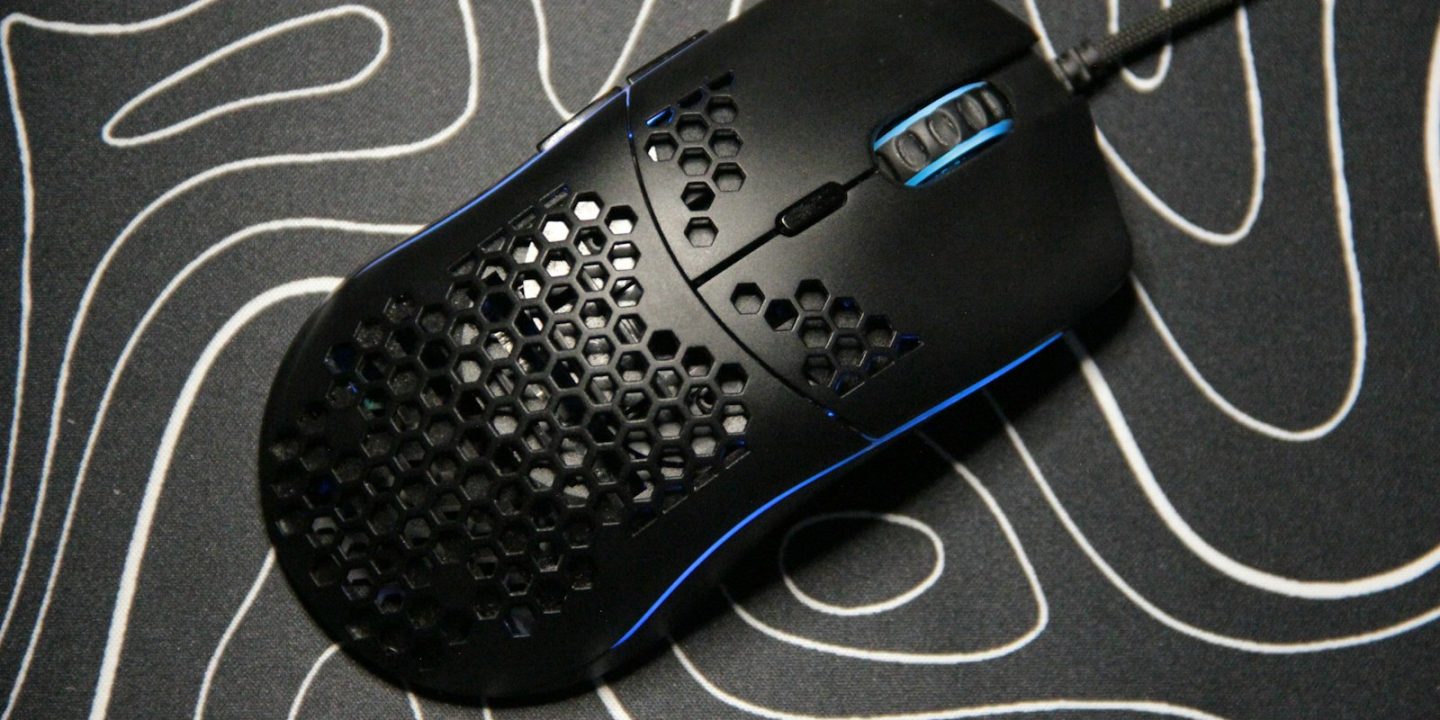
Your mouse is the one piece of gaming gear you touch every second you play, so shape and weight matter as much as the sensor. In 2026 the top wireless mice weigh around 50–56 g, poll at up to 8,000 Hz and last 100 hours or more on a charge — but a heavier, button-packed mouse can still be the better choice for MMOs or everyday use.
Below are six mice that expert reviewers, Engadget in particular, rate highly, covering fast esports shapes, ergonomic designs, a wired option and an MMO mouse. Prices are approximate euro prices from October 2026 where we could find them; otherwise we flag the US price so you have a rough guide.
Our picks at a glance
- Best overallRazer Viper V3 Pro
- Best ergonomicRazer DeathAdder V4 Pro
- Best wiredEndgame Gear OP1 8K V2
- Best value wirelessPulsar Xlite V3
- Best budgetRazer Basilisk V3
- Best for MMOsCorsair Scimitar RGB Elite
Prices are approximate and change often. Ad
1. Razer Viper V3 Pro — best overall
Engadget’s best symmetrical wireless mouse is the Razer Viper V3 Pro. At 54 g with Razer’s Focus Pro 35K sensor and up to 8,000 Hz polling, it’s built for competitive shooters, yet its simple shape suits most grip styles and hand sizes. Battery life is up to 95 hours at 1,000 Hz.
It’s expensive and the finish picks up fingerprints, but in Germany it dropped to about €107 during Prime Day 2026 against a reference price of around €133 — if you see it near that, it’s a strong buy.
Razer Viper V3 Pro
Engadget's best symmetrical wireless mouse: 54 g, 8,000 Hz polling and superb build quality.
- Weight
- 54 g
- Sensor
- Focus Pro 35K Gen-2
- Polling
- Up to 8,000 Hz
- Battery
- Up to 95 h @1,000 Hz
Pros
- Exceptional performance
- Superb build
- Suits most grips
Cons
- Expensive
- Finish shows fingerprints
2. Razer DeathAdder V4 Pro — best ergonomic
If you prefer a right-handed, hand-filling shape, the DeathAdder V4 Pro is Engadget’s ergonomic pick. It’s still only 56 g, uses the newer Focus Pro 45K sensor and lasts up to 150 hours at 1,000 Hz — noticeably longer than the Viper.
It suits medium to large hands rather than small ones, and its clicks sound resonant to some ears. In July 2026 Amazon.de listed it at about €155 in black and €128 in white, against a reference price of €179.99.
Razer DeathAdder V4 Pro
Engadget's best ergonomic wireless mouse: top-tier sensor, 56 g and 150-hour battery.
- Weight
- 56 g
- Sensor
- Focus Pro 45K Gen-2
- Polling
- Up to 8,000 Hz
- Battery
- Up to 150 h @1,000 Hz
Pros
- Top-tier performance
- Light but sturdy
- Great battery
Cons
- Expensive
- Not for small hands
3. Endgame Gear OP1 8K V2 — best wired
Not everyone wants a battery in their mouse. The Endgame Gear OP1 8K V2 weighs just 49.5 g, polls at up to 8,000 Hz and has fast clicks and a flexible cable, which is why Engadget names it the best wired symmetrical mouse.
It’s a small shape, so large hands may find it cramped, and the side buttons feel hollow. Availability can also be patchy — check a few retailers.
Endgame Gear OP1 8K V2
A 49.5 g wired mouse with 8K polling and fast clicks — Engadget's best wired symmetrical pick.
- Weight
- 49.5 g
- Sensor
- PixArt PAW3950
- Polling
- Up to 8,000 Hz
- Connection
- Wired
Pros
- Very light and sturdy
- Fast clicks
- Flexible cable
Cons
- Small for large hands
- Side buttons feel hollow
4. Pulsar Xlite V3 — best value wireless
The Pulsar Xlite V3 gives you a 55 g wireless mouse with a PAW3395 sensor and up to 100 hours of battery for much less than the Razer flagships. Engadget calls it strong value and well suited to palm and claw grips.
Its open baseplate can collect dust over time, and the coating could be grippier. A newer Xlite V4 also exists, but the V3 is the one reviewers have tested.
Pulsar Xlite V3
A 55 g wireless mouse that Engadget rates as strong value for palm and claw grips.
- Weight
- 55 g
- Sensor
- PixArt PAW3395
- Polling
- 1,000 Hz (4,000 Hz with dongle)
- Battery
- Up to 100 h
Pros
- Great value
- Comfortable shape
- Long battery
Cons
- Open baseplate collects dust
- Coating could be grippier
5. Razer Basilisk V3 — best budget
The Basilisk V3 is a different kind of mouse: 101 g, 11 programmable buttons and a scroll wheel that can free-spin through long documents. Engadget names it both its best wired ergonomic mouse and a budget pick, as it’s often found well below its list price.
It’s too heavy for top-level FPS play and too bulky for small hands, but as an all-rounder for gaming and work it’s very comfortable.
Razer Basilisk V3
A comfortable wired all-rounder with 11 buttons and a versatile scroll wheel — often found on sale.
- Weight
- 101 g
- Sensor
- Focus Pro 30K
- Buttons
- 11
- Connection
- Wired
Pros
- Very comfortable
- Versatile scroll wheel
- Good value
Cons
- Heavy for fast FPS
- Noisy scroll wheel
6. Corsair Scimitar RGB Elite — best for MMOs
MMO and MOBA players need a lot of buttons in reach. The Corsair Scimitar RGB Elite has 17 in total, with a grid of textured side buttons that you can find by feel. Engadget picks it for MMOs and praises its comfort and value.
Downsides are a stiff cable, a recessed scroll wheel and software that can be frustrating to set up.
Corsair Scimitar RGB Elite
Engadget's MMO pick: textured side buttons make ability bars easy to hit by feel.
- Weight
- 108 g
- Sensor
- PixArt PMW3391
- Buttons
- 17
- Connection
- Wired
Pros
- Textured, easy-to-find side buttons
- Comfortable
- Fair price
Cons
- Stiff cable
- Frustrating software
Compare the key specs
| Model | Razer Viper V3 ProBest overall | Razer DeathAdder V4 ProBest ergonomic | Endgame Gear OP1 8K V2Best wired | Pulsar Xlite V3Best value wireless | Razer Basilisk V3Best budget | Corsair Scimitar RGB EliteBest for MMOs |
|---|---|---|---|---|---|---|
| TechHive score | 9.2/10 | 9.1/10 | 8.7/10 | 8.4/10 | 8.2/10 | 8.0/10 |
| Approx. price | €133 | €155 | Varies | Varies | Varies | Varies |
| Weight | 54 g | 56 g | 49.5 g | 55 g | 101 g | 108 g |
| Sensor | Focus Pro 35K Gen-2 | Focus Pro 45K Gen-2 | PixArt PAW3950 | PixArt PAW3395 | Focus Pro 30K | PixArt PMW3391 |
| Polling | Up to 8,000 Hz | Up to 8,000 Hz | Up to 8,000 Hz | 1,000 Hz (4,000 Hz with dongle) | — | — |
| Battery | Up to 95 h @1,000 Hz | Up to 150 h @1,000 Hz | — | Up to 100 h | — | — |
| Connection | — | — | Wired | — | Wired | Wired |
| Buttons | — | — | — | — | 11 | 17 |
| Shop Ad | Amazon | Amazon | Amazon | Amazon | Amazon | Amazon |
How to choose a gaming mouse
Shape and grip first
Symmetrical mice (Viper, OP1, Xlite) suit claw and fingertip grips and left-handers who can use them; ergonomic mice (DeathAdder, Basilisk) fill the palm and are comfortable for right-handed palm grips.
Weight
Lighter mice (50–60 g) are easier to flick and stop in shooters. Heavier mice feel more stable for precise, slow movements and everyday work.
Wireless and polling rate
Modern 2.4 GHz wireless is as fast as a cable for gaming. Polling rates of 4,000–8,000 Hz can feel smoother on high-refresh monitors but drain the battery faster; 1,000 Hz is perfectly fine for most players.
Buttons and software
Count the buttons you actually need. Shooter players rarely use more than two side buttons, while MMO players benefit from a full side grid. Check that the software lets you save settings to the mouse itself so you don’t need it running all the time.
Buying in Europe
EU purchases include a two-year legal guarantee, and online orders can usually be returned within 14 days — useful, because shape is personal. Gaming mice are frequently discounted, so a premium model on sale can cost the same as a mid-range one at full price.
How we choose
We compare reviews from established outlets — Engadget for this guide — focusing on products that score consistently well, then check European prices and availability. We don’t do our own hands-on testing yet; see how we research.
FAQ
Is 8,000 Hz polling worth it?
It can make cursor movement look smoother on very high refresh-rate monitors, but the difference is small and battery life drops. 1,000 Hz is enough for most people.
What DPI should I use?
Most players use 400–1,600 DPI and adjust in-game sensitivity. Very high DPI numbers on the box are marketing, not a reason to buy.
Is a wireless mouse good enough for esports?
Yes. Modern 2.4 GHz wireless connections are fast enough for competitive play, and several of our top picks, including the Viper V3 Pro, are built specifically for esports-style shooters.
What should I pair with my new mouse?
A fast monitor makes the biggest difference — see our best gaming monitors. For the rest of your desk, check our gaming keyboards and gaming headsets guides.